Kaspersky Plus (Global) 21.24.8.522 91 days preactivated Offline Installer with Auto Renewal.

If your windows is x64 system,
try to move the whole folder to under root directory and run from there.
Something like this;
D:\put your folder here
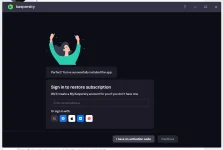
Hi, I tried what you said and it worked, but I am stuck at this screen. I am on windows 10 64-bit. I turned the internet on while installing this.1770828360234.webp
 
If your windows is x64 system,
try to move the whole folder to under root directory and run from there.
Something like this;
D:\put your folder here
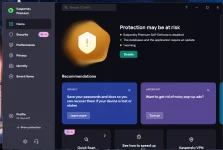
Edit - I decided to reboot the pc and used Kaspersky Tweak Lite and disabled self defense and used Embed Serial Key, selected Kaspersky Plus from there. And it worked but it somehow activated Kaspersky Premium instead with 92 days. I wonder if this will auto-renew.

1770829200719.webp
 
help i have this problem


C:\Windows\system32>■@echo off
'■@echo' is not recognized as an internal or external command,
operable program or batch file.
Error: decoding failed. "startup.cmd" was not created.
Press any key to continue . . .
 
help i have this problem


C:\Windows\system32>■@echo off
'■@echo' is not recognized as an internal or external command,
operable program or batch file.
Error: decoding failed. "startup.cmd" was not created.
Press any key to continue . . .
I sent you instructions in a private message.
Rename the text file to kaspersky.bat
Delete the cmd file and place the bat file in the unzipped installation folder and open the bat file as administrator and follow the steps, do not close the bat file, it will close itself. If it does not activate automatically, put the key manually
 
For users who have problems launching the cmd file, update your operating system with all updates. Open PowerShell as administrator and update to the latest version with the following command:
winget search --id Microsoft.PowerShell
After updating, restart your device and try installing this version again.